TouGaoYa: Write Locally, Publish Everywhere
TouGaoYa is a local-first Markdown editor + multi-platform publishing workbench for macOS and Windows. Write in Markdown locally, connect your own Chrome/Edge through the TouGaoYa Bridge extension, and publish to WeChat, Zhihu, Juejin, CSDN and more in one click.
Your drafts, images and account tokens stay on your device. Publishing happens through your own browser, so platforms see the same session as you do.
Editing Experience: WYSIWYG + Live Preview
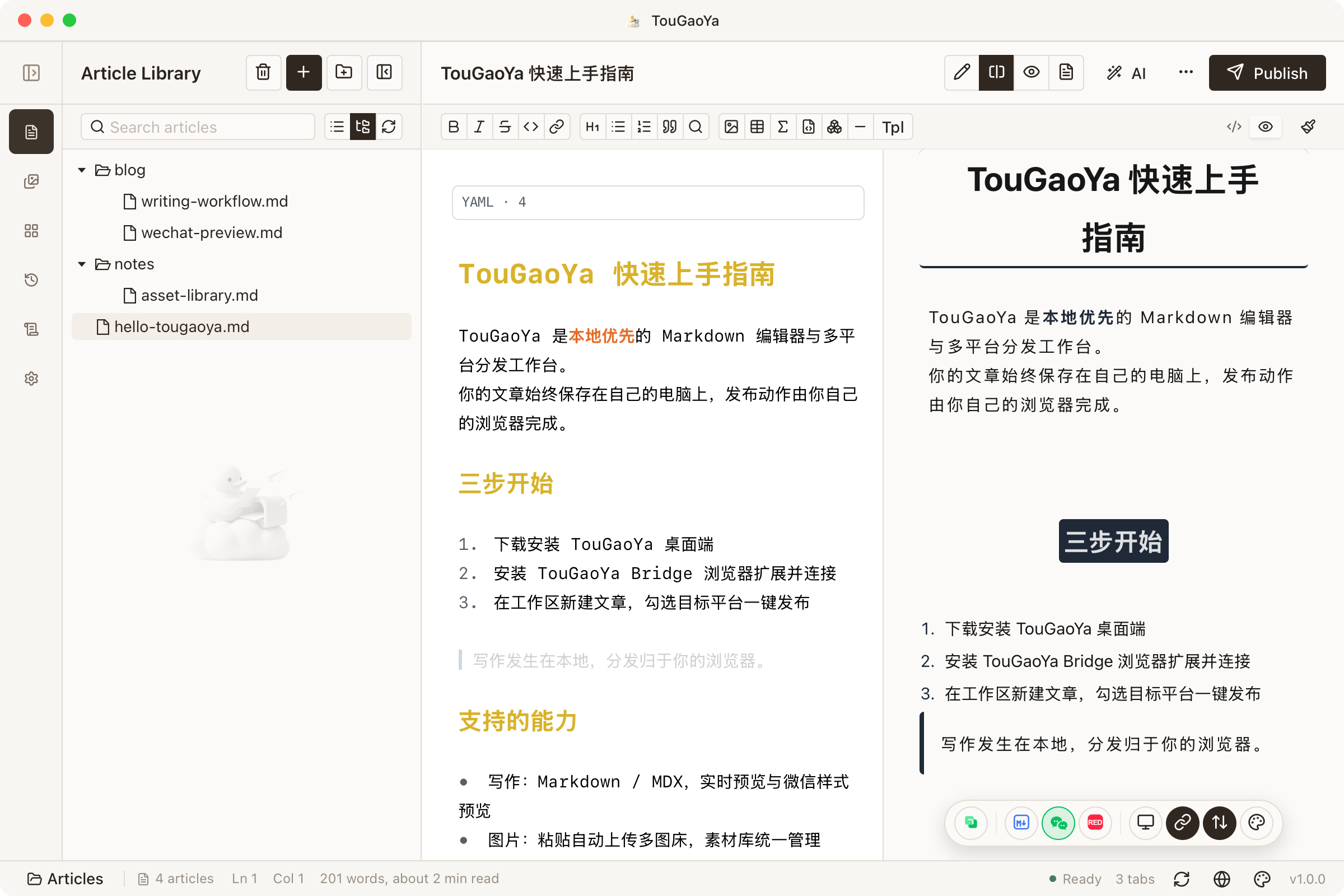
TouGaoYa uses CodeMirror 6 + Lexical rich text preview, supporting editor/split/preview three modes. Real-time widgets, selection management, theme hot-swapping — what you see is what you get, writing flows smoothly. Article history, grouped asset library, image compression, and more are all included.
| Need | Online editors / publishing tools | TouGaoYa |
|---|---|---|
| Data ownership | Drafts and credentials hosted in the cloud | Local-first; drafts and tokens stay on device |
| Platform login | Hand over account/password to a third party | Login through your own browser; credentials never leave Chrome/Edge |
| Multi-platform publishing | Copy-paste across sites | One editor, batch publish to multiple platforms |
| Images | Manual upload to image bed and replace URLs | Paste/drag to auto-upload to multi image beds |
Core Capabilities
1. Markdown Workbench
The Markdown editor supports syntax highlighting, formatting shortcuts, themes and live stats. Live preview gives WYSIWYG feedback, and WeChat-style preview ensures your official-account posts look perfect.
2. Browser Extension Bridge
The browser extension bridge keeps the publishing flow inside your own browser. The desktop app orchestrates tasks; login, page extraction and submission are handled by the extension. Platform adapters are delivered as plugins — new platforms are installed with one click in the plugin manager, no extension reinstall required.
3. One-Click Multi-Platform Publishing
Select target platforms, choose publish/draft mode, and sync. Failed posts are retried, progress streams back in real time, and every action is recorded in history and audit logs.
4. AI Writing Assistant
Connect any OpenAI-compatible AI service (20+ built-in cloud provider presets, or a custom endpoint pointing at a local inference service) for polish, summarize, spellcheck, translate to English, translate to Chinese, expand and continue. You can also enable per-platform AI scenes (e.g. Weibo compliance, WeChat formatting, Zhihu polish) before publishing — AI adapts the title/body per platform and you confirm via a diff preview. Off by default.
5. Image Bed
Paste or drag images to auto-upload them to GitHub, Alibaba Cloud OSS, Tencent Cloud COS or Cloudflare R2, with automatic URL replacement and CDN support.
6. Workspace Cloud Sync
Back up your local Markdown workspace to a GitHub repository via GitHub workspace sync. Push, pull and diff across devices.
Free vs Pro
All editing features are free, including 100 publishes per month on the Free tier. Pro removes the publishing limit and supports more device bindings.
Download Free · View Pricing · Activate Pro
FAQ
How is TouGaoYa different from online editors?
TouGaoYa is local-first: your drafts, images and account tokens stay on your device. Publishing goes through your own browser, so platforms see the same session as you do — no third-party cloud holds your credentials.
Do I need a browser extension?
Yes. The TouGaoYa Bridge extension handles login, page extraction and publishing inside Chrome/Edge. Platform adapters are delivered as plugins — new platforms are installed with one click in the plugin manager, no extension reinstall required.
Which platforms are supported?
There are 26+ official platform plugins, including WeChat Official Accounts, Weibo, Zhihu, Juejin, CSDN, Bilibili columns, SSPAI, Jianshu, Sohu, Xueqiu, Douban, Yuque, OSChina, SegmentFault, Cnblogs, Baijiahao, 51CTO, Typecho and more — install them with one click in “Platforms → Official Plugins” or “Settings → Plugins”. You can also connect self-hosted CMSs like WordPress and Typecho via official plugins. See Platform Plugins.
Next Steps
- Getting Started — Download, install the extension, publish your first post
- Help Center — the full manual on writing, publishing, AI, asset library and more
- Pricing · Activate Pro
- Settings
Questions or feedback: contact@once.work