AI Assistant
Your article is done — but Juejin readers love a dense opening, WeChat needs a call-to-action ending, and Weibo fits in 140 characters. Every platform has its own personality.
TouGaoYa’s AI assistant handles these differences: polish your words in the editor, adapt to each platform before publishing.
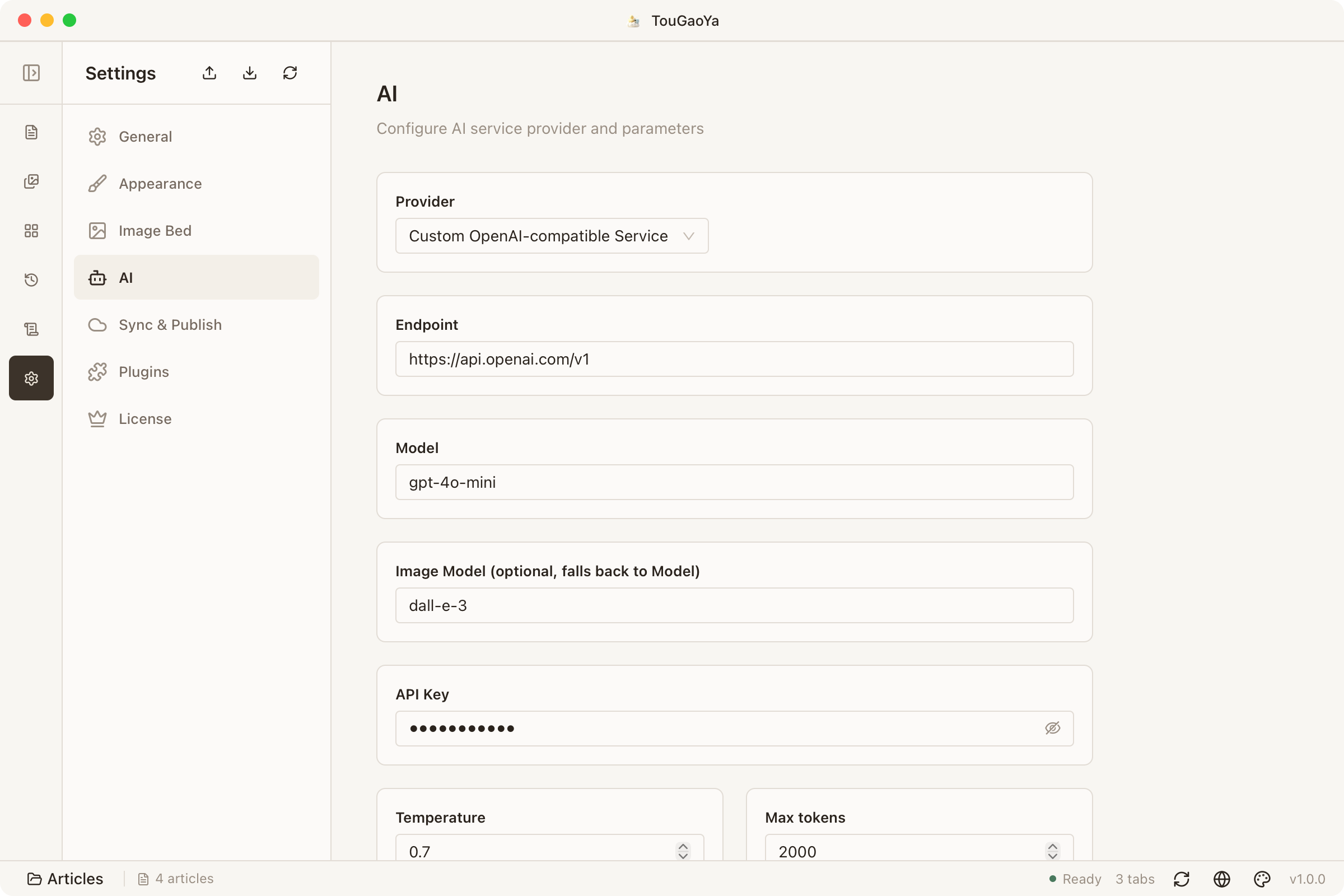
Configure an AI Service
In Settings → AI Assistant, configure an OpenAI-compatible service:
- Cloud service: 20+ provider presets (DeepSeek, OpenAI, Qwen, Zhipu and more) — just fill in the API key
- Custom endpoint: point to any OpenAI-compatible endpoint, even a local inference service (Ollama, LM Studio)
Your API key stays on your device; AI calls only send the text you select.
Quick Actions in the Editor
Select some text and pick an action from the toolbar:
| Action | Effect |
|---|---|
| Polish | Smoother, more professional expression |
| Summarize | Extract key points |
| Spell check | Find typos and awkward phrasing |
| Translate (EN/CN) | Cross-language translation |
| Expand / Continue | Add detail, or keep writing |
Per-Platform Adaptation Before Publishing
Some platform plugins include built-in AI scenes (e.g. Weibo compliance, WeChat formatting, Bilibili columns, Zhihu polish). You can enable them per platform before publishing:
- Enable the AI scene for a platform in the publish panel (off by default)
- TouGaoYa adapts the title and body to that platform’s style
- Review each change in a diff preview
- Confirm and sync — or discard if you don’t like it
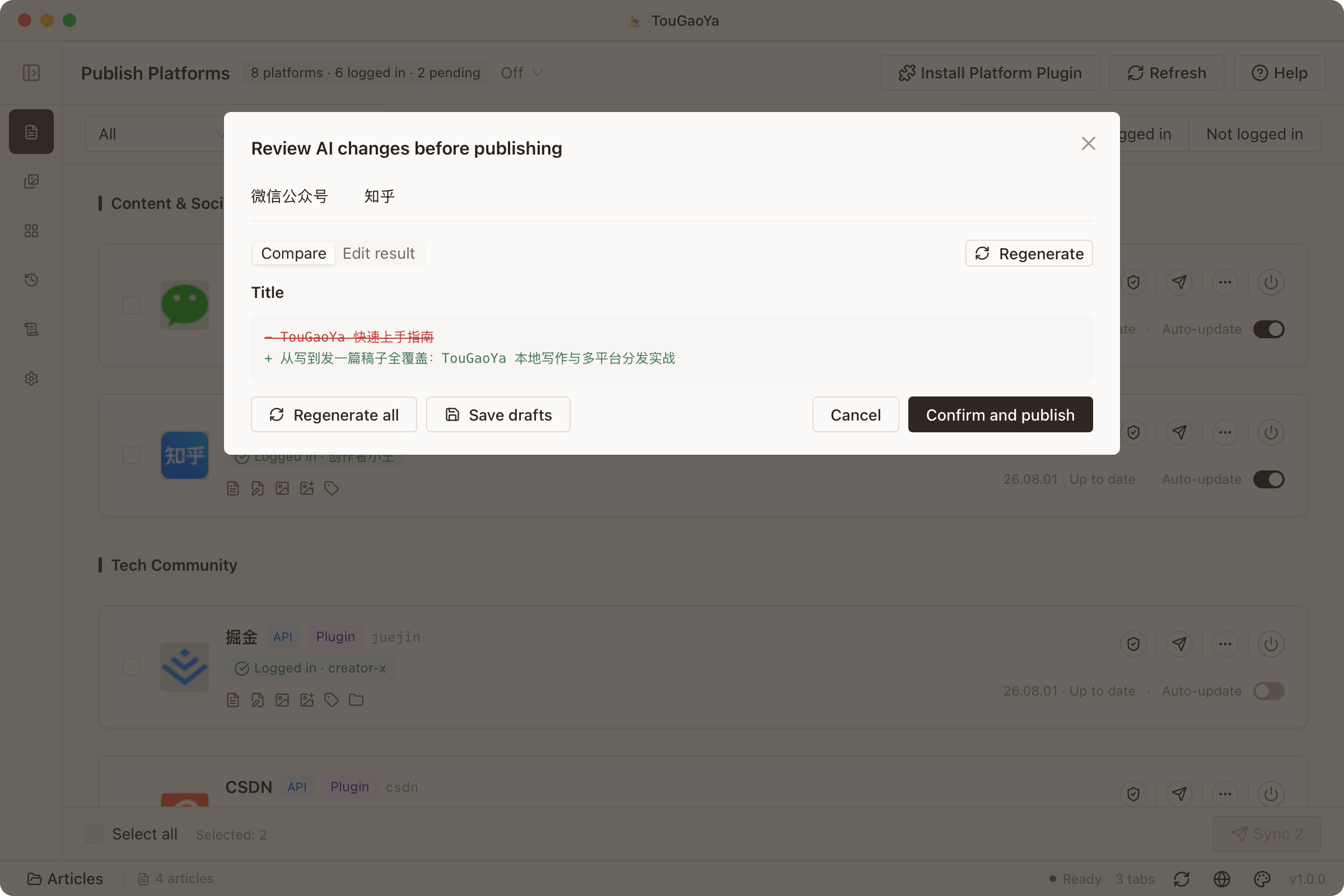
The same article now reads right on every platform — and you keep the final say.
FAQ
Do AI features require internet?
- Cloud service: yes, but only the selected text is sent to the provider you configure
- Local endpoint: data never leaves your device
Why is the polish result sometimes unexpected?
AI output depends on the selected text and model. Check that the selection is complete, or adjust parameters and switch models.
Next: Xiaohongshu Cards — turn articles into cards for Xiaohongshu.