Static Site Publishing
You publish to WeChat, Zhihu, Juejin — but those are rented spaces. What if your content had a permanent home of its own, accessible to anyone, anytime?
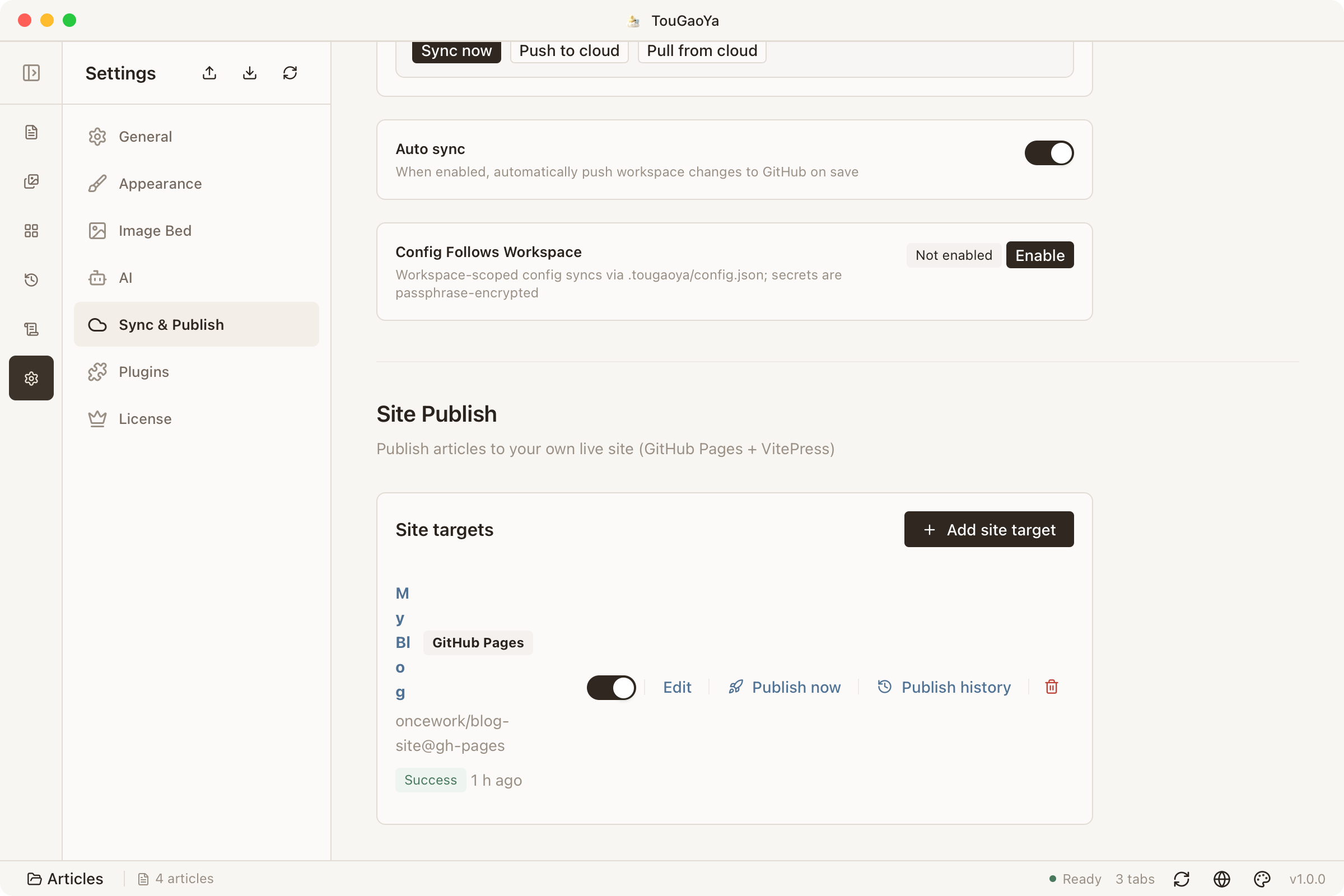
TouGaoYa’s static site publishing makes it as simple as clicking a button: connect a repository, get a site, publish with one click.
How It Works
- TouGaoYa provisions a VitePress site scaffold automatically
- Publishing commits content via GitHub; GitHub Actions builds and deploys to GitHub Pages
- No local build tools required
Create a Site
Create a site target in Settings → Site Publishing:
- Choose or create a GitHub repository
- Pick the target branch and a theme (two built-in themes)
- Save — TouGaoYa initializes the scaffold and enables the site
Publish Articles
- In the editor, choose “More → Publish to Site” and select the target site
- Or configure site targets in the “Article Info” panel (fixed slug, draft status, etc.)
- After publishing, GitHub Actions builds automatically; view the live URL and build progress in the History panel
Article Info and Site Mapping
- Each article can define a site block in “Article Info”: slug, summary, publish date, draft status
- The summary becomes the site page description; publish date can be specified
- Articles marked as drafts are skipped
FAQ
First publish fails with a deployment rejection?
TouGaoYa automatically adds the site branch to GitHub Pages’ deployment branch policy. If you manually adjusted the repo settings and hit a rejection, check that the deployment branch includes the site branch in the repo settings.
Can I customize the site’s look?
Yes. The scaffold files are managed by TouGaoYa, but your homepage and articles are yours; you can extend further based on the VitePress official theme.
Related: Sync & Switching Devices — site configuration follows your workspace too.