Xiaohongshu Cards
Posting on Xiaohongshu feels incomplete with plain text — but turning article content into images manually, card by card, takes forever.
TouGaoYa’s Xiaohongshu card feature makes “article → cards” a single step.
Generate Cards
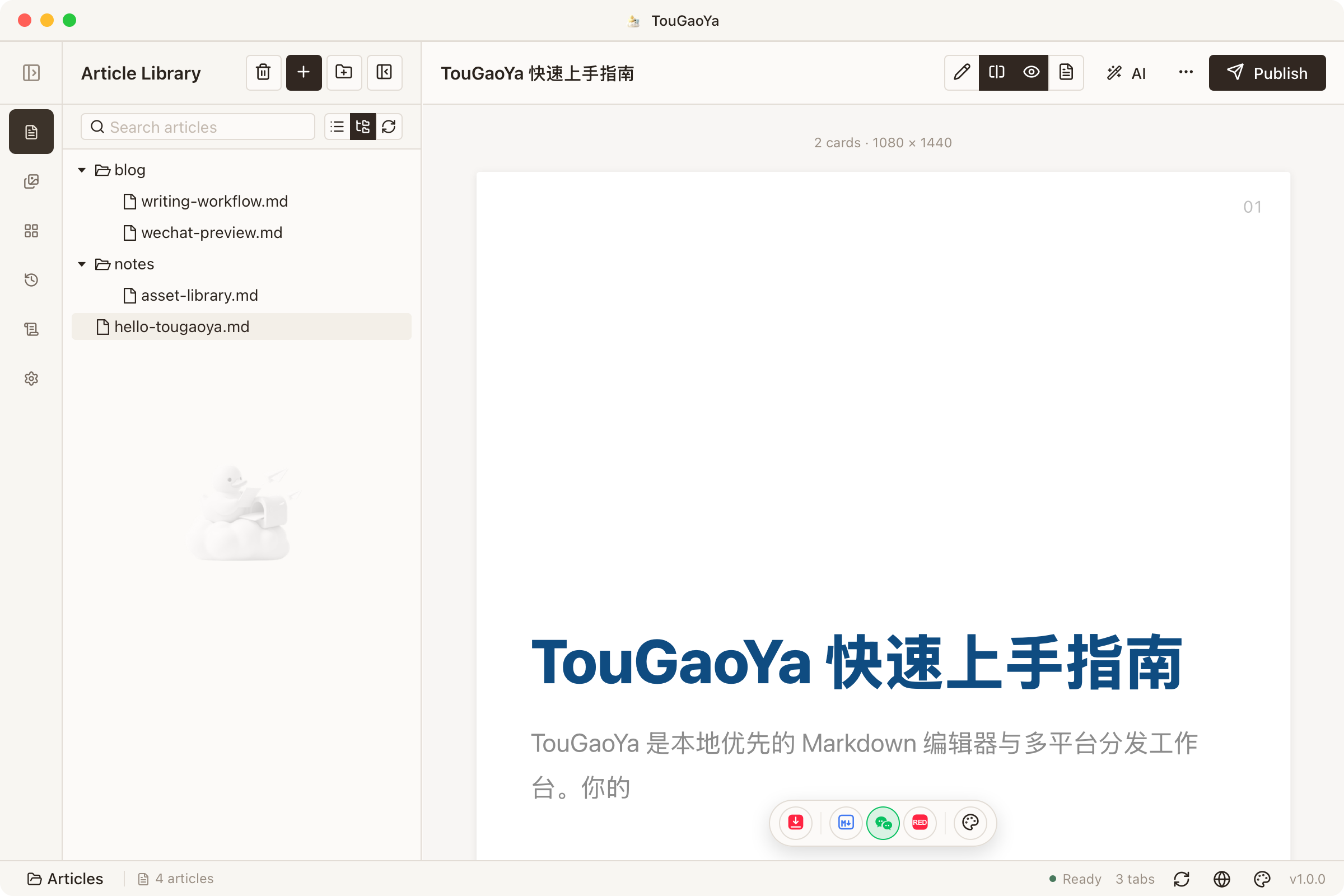
In the editor, switch the preview target to “Xiaohongshu Card”:
- The article renders as 1080×1440 cards, Xiaohongshu-sized
- The first H1 becomes the cover automatically
- Content paginates automatically; insert page-break markers for manual control
Make the Cards Yours
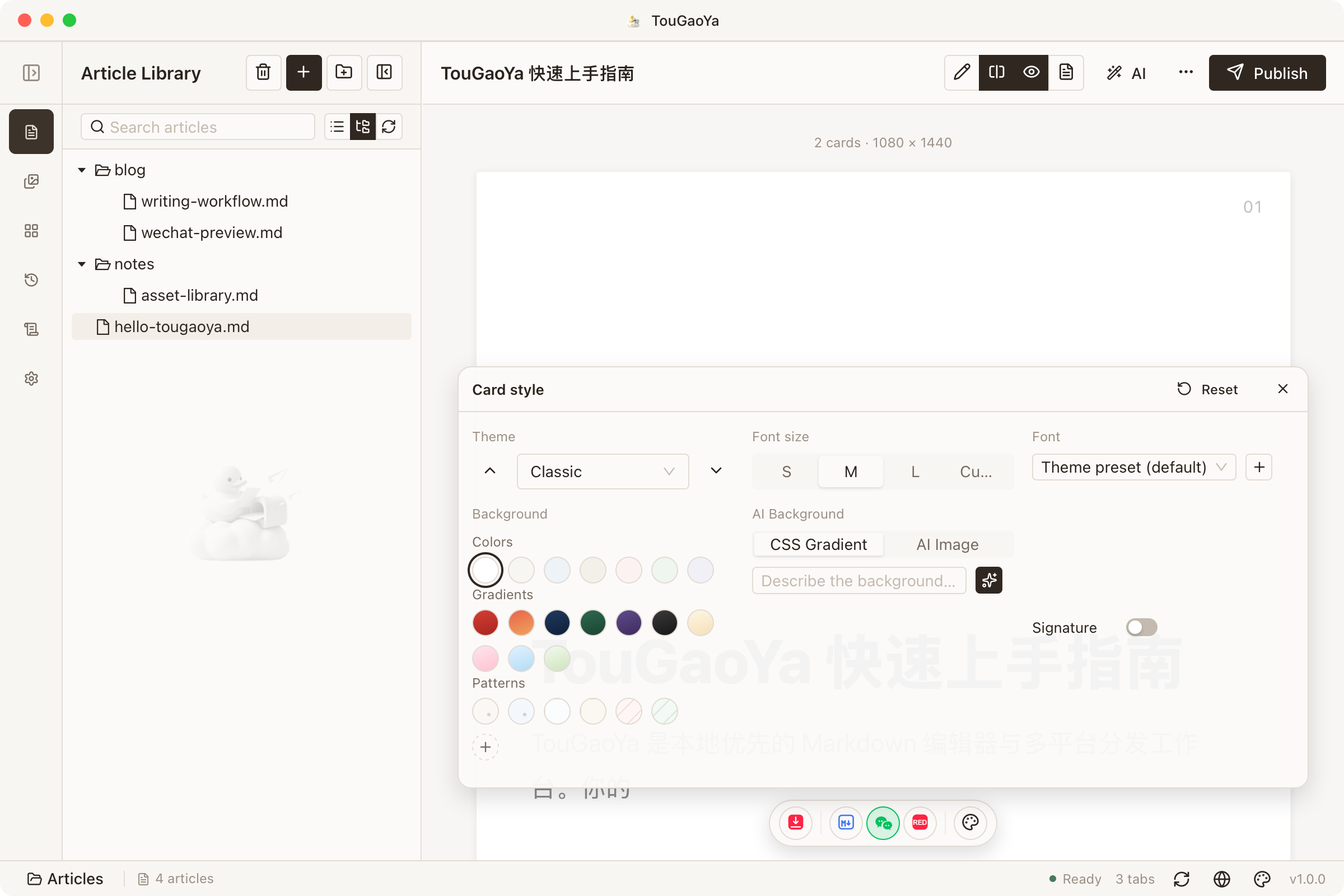
The style panel on the right offers rich customization:
- Theme: 33 themes reused from the WeChat system — switch the layout style with one click
- Font: choose a fitting font, with custom font support
- Background: solid / gradient / pattern, or your own image and AI-generated backgrounds
- Signature: custom signature text; defaults to the article title
Your choices are saved automatically — your preferences await next time.
Export and Share
- Single export: current page as PNG
- Batch export: all pages packaged as ZIP, filenames keep page numbers
Export is what you see — post it straight to Xiaohongshu.
FAQ
Text hard to read on dark backgrounds?
Dark themes auto-adapt: foreground text lightens, accent colors brighten, and links/code/highlights get dedicated readability handling.
Want to use your own background image?
Custom background images are supported (loaded via a safe proxy), and AI can generate gradient backgrounds too.
Next: Static Site Publishing — publish articles to your own website with one click.